
Some dash cams have a small screen on the unit. Others are almost a black box: you aim them once, then you use a phone app over Wi-Fi to change settings and pull clips. Both designs are widely sold. The better one depends on how often you want to look at the camera itself, how patient you are with apps, and whether a passenger or a second driver also needs to use it.
This guide compares those two approaches for setup, daily checks, and evidence handling. It is not a review of any one app, and we do not invent reliability percentages. For resolution choices, see 2K vs 4K. For researched current models, see Best Dash Cams of 2026.
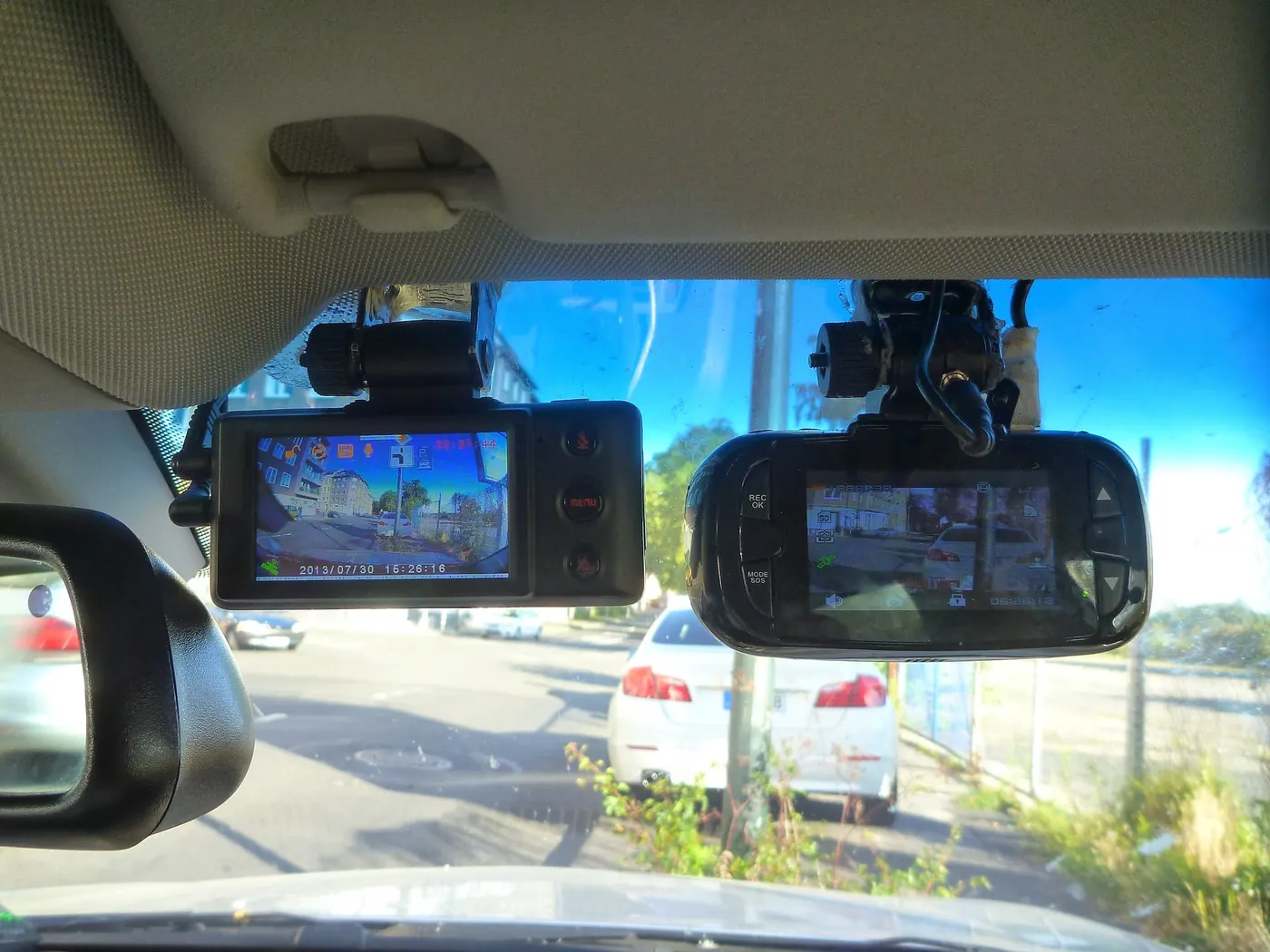

What each design is trying to do
A screened dash cam lets you confirm the view, format a card, change a setting, and sometimes play a clip without a phone. That is handy in a parking lot after a bump, or when you install the camera and want to see the hood line immediately. The trade-off is a larger, more obvious unit on the glass, a screen that can reflect at night if it stays on, and more visual clutter in your field of view. Mounting and legal placement still apply; see recording and mounting laws.
A Wi-Fi or app-only camera is usually smaller. Mini units can sit behind the rear-view mirror with less distraction. You typically connect a phone to the camera’s Wi-Fi, open the official app, and use that to aim (sometimes with a live preview during install), change settings, and download videos. When it works, that is convenient. When the app is fussy, the camera’s firmware is old, or your phone will not stay connected in a hot car, it is frustrating.
Some cameras offer both: a modest screen and an app. That is often the most flexible design if you can live with a slightly larger body.
Setup and aiming
With a screen, installation is visual. You mount the camera, tilt it until the hood occupies a small strip at the bottom of the frame, and confirm that the horizon is not wildly tilted. You can do this in a driveway without pairing anything. See how to install a dash cam.
With an app-only unit, you may need to power the camera, join its Wi-Fi network, and watch a preview on the phone. That is fine if you do it once and the mount holds. It is harder if you have to re-aim after a car wash, a temperature swing, or a second vehicle, and the app will not connect until you remember a password printed on a card in the glove box.
If more than one person drives the car, ask who is willing to use the app. A screened camera is easier to share.
Day-to-day use and “is it recording?”
The quiet fear with any dash cam is that it is not actually recording. A screened model can show a recording indicator or a timestamp on the unit. An app-only model may use an LED, a voice prompt, or nothing you can see from the driver’s seat. Official manuals usually describe the indicator; learn it on day one.
A bright screen can be a distraction at night. Many units let you dim or time out the display; use that. An app-only camera avoids the glow, which some drivers prefer.
Parking-mode status is another daily question. If you have to open an app just to confirm that parking mode armed, you may not check it. A small on-unit icon can help. Parking behavior itself is covered in parking mode explained.
Exporting footage after an incident
After a collision or a close call, you want a file, not a science project. With a screen, some cameras let you lock the current clip with a button and play it on the unit, or you can pull the card and copy files on a computer. With an app, you often download the clip over Wi-Fi, then email or save it. Wi-Fi downloads of long 4K clips can be slow, and some apps transcode the file. Have a backup path: a card reader and a computer, as described in how to export and share footage.
If your phone is damaged in the same incident, an app-only workflow is weaker unless you can still reach the card. That alone is a reason to know how the card comes out and to keep a cheap reader in the glove box.
Reliability, updates, and privacy
Apps need maintenance. Official stores eventually drop old apps; cameras need firmware updates; a new phone OS can break a connection. A screened camera can still record if the app is neglected, as long as the card and power are healthy. You may not get new features, but you still have files.
Wi-Fi cameras create a short-range network. Use the official app, set a password if the maker provides one, and do not leave default credentials in a rideshare car. We are not going to invent a vulnerability report; just follow the official setup and keep the firmware current.
A screen can also show a live view to a passenger, which is useful or distracting depending on the household.
A practical chooser
- If you want the smallest possible unit and you are comfortable with phone apps, an app-only or mini camera is a reasonable path.
- If you want to confirm the view and lock a file without a phone, prefer a screen, or a model that has both.
- Always have a card-reader plan, regardless of the design.
- Test the official app on your phone before you rely on it, if you can return the unit.
- Spend leftover budget on the card, the mount, and a rear camera before you pay for a prettier interface.
The camera that is still recording next year, and whose files you can actually copy, is better than the one with the slickest demo. Compare current options in our Best Dash Cams of 2026 list, and confirm whether each model has a screen, an official app, or both.